A race engineer in your ear. Every lap.
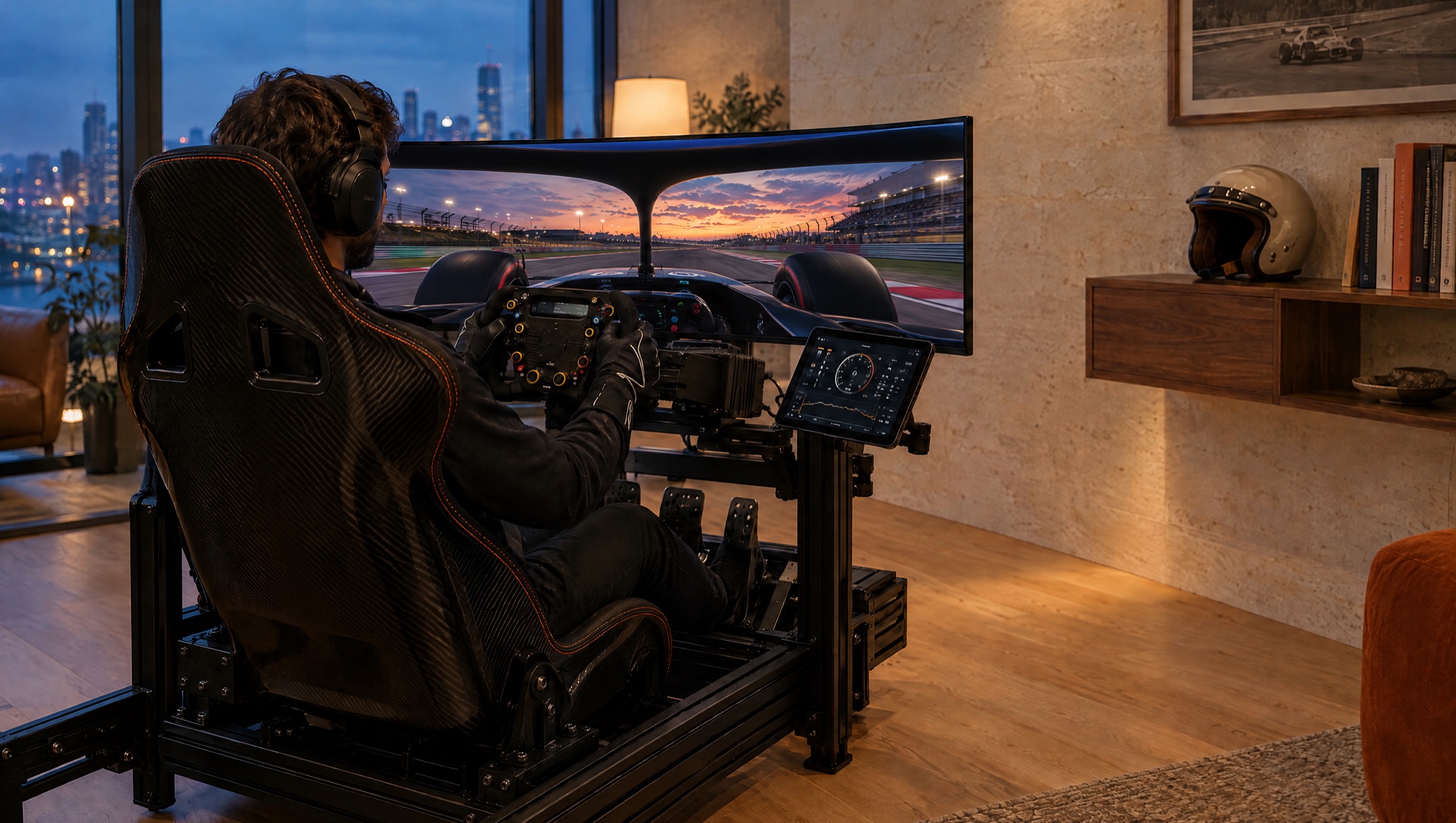
APEX reads your car's live telemetry and talks you through the session: where the lap time is going, what the tyres are doing, when to push. Before you leave the garage, it builds a setup for the car, the circuit and the conditions.
- Lap 6Turn 11, you're on the brakes about ten metres early. Use the 100 board.
- Lap 7Better. Exit of the hairpin is costing you two tenths, wait on the throttle.
- Lap 81:31.204, personal best. Same again through Degner, that's where it came from.
The engineer every driver has on the pit wall, for the rest of us.
A real race engineer watches the data so the driver can watch the road. They notice the late apex, the cooked rear tyres, the lap that was quick for the wrong reasons, and they say so in a sentence.
APEX does that job for sim racers. It runs on the iPhone or iPad beside your rig, listens to the telemetry your game already broadcasts, and speaks to you while you drive. No laptop, no dashboards to read mid-corner.
-
Live
Voice coaching on track
Corner-by-corner calls on braking, minimum speed and exits, timed so they arrive on the straights, not in the braking zone.
-
Before the session
Setups built for the car and track
Tell APEX the car, circuit, weather and how the car feels. It returns a full setup with the reasoning for each change.
-
After the session
A debrief, lap by lap
Sector by sector, where the time went and the one thing to work on next. Ask follow-up questions in plain language.
It watches the data. You watch the road.
Speed, inputs, tyre pressures, brake temperatures, sector times and every car's gap, read live from the game and turned into a few words you can act on.
APEX compares each lap with your best one, corner by corner, and works out where the time went: braking too early, too slow at the apex, too eager on the throttle. It only speaks when there is something worth saying.
Choose how talkative it is. Quiet gives lap calls only, Standard adds the key tips, Frequent is a full race radio.
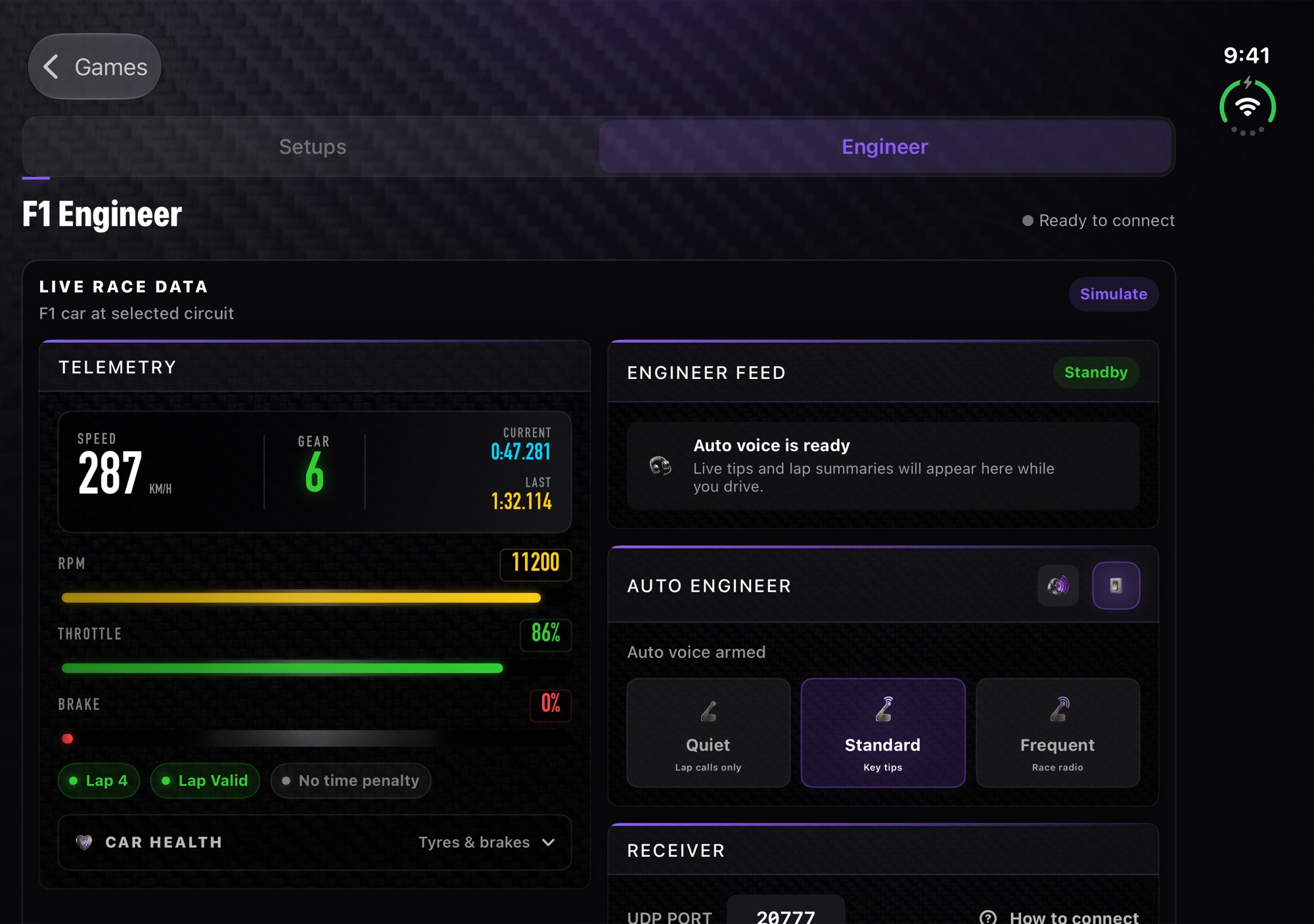
Live telemetry on the left, the engineer feed on the right. On iPhone it folds into a single column you can mount by the wheel.
What it listens for
| Braking | Brake points against your best lap, in metres, corner by corner.Lap distance · brake pressure · speed |
|---|---|
| Apex & exit | Minimum corner speed and how early you can commit to the throttle.Speed trace · throttle · steering |
| Tyres & brakes | Pressure drift, tyre age and overheating brakes, before they cost you a stint.Tyre pressures · compound & age · brake temps |
| Race | Gaps ahead and behind, track limits warnings, penalties, weather.Lap data for every car · session state |
Three minutes from download to first lap.
-
Connect
In the game's telemetry settings, turn UDP on and enter your phone's IP address with port
20777. APEX shows the exact values and checks the link live. -
Drive
Head out. The engineer picks up the session on its own and starts talking once it has a lap to compare against. Headphones or speaker, your choice.
-
Debrief
Back in the garage, read the lap-by-lap summary, ask why, and take a revised setup into the next run.
Where APEX works today, and what is next.
| Game | AI setups | Live engineer | Connection |
|---|---|---|---|
| F1 25Including the 2026 season pack · PlayStation 5, Xbox Series X|S, PC | Every car and circuit | Live | In-game UDP telemetry, straight to iPhone or iPad over Wi-Fi. Nothing to install on the console or PC. |
| Assetto Corsa CompetizionePC | GT3 and GT4 cars, every circuit | In development | APEX Bridge, a small Windows companion that reads ACC's telemetry and sends it to your phone. |
| Assetto Corsa EVOPC | Every car and circuit | In development | APEX Bridge for Windows, as with ACC. |
| iRacingPC | Planned | Planned | — |
ACC and Assetto Corsa EVO only share their telemetry with software running on the same PC, so live coaching for them needs the APEX Bridge. Console versions of ACC do not expose telemetry at all; setups still work there.
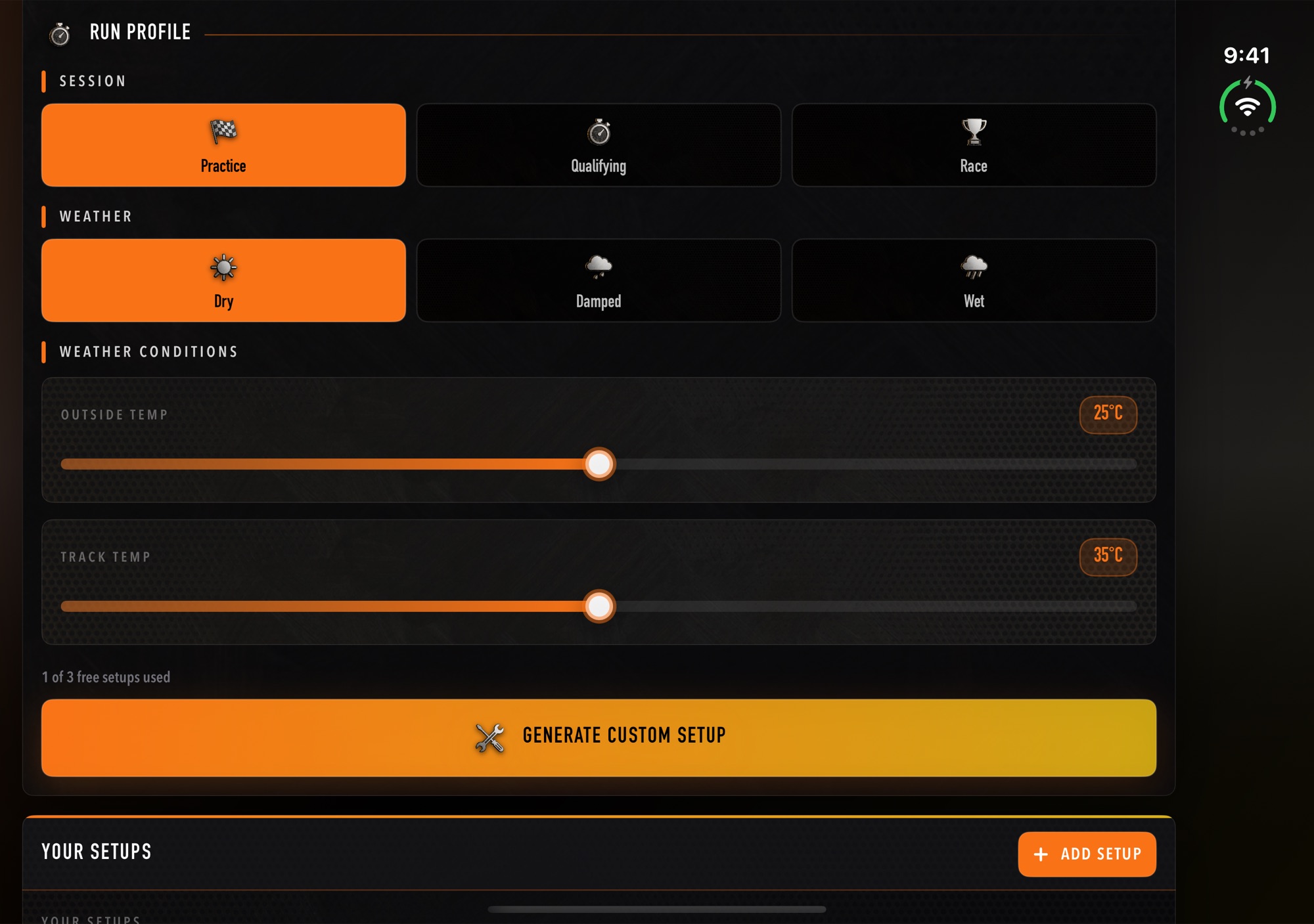
The GT3 setup workstation for Assetto Corsa Competizione.
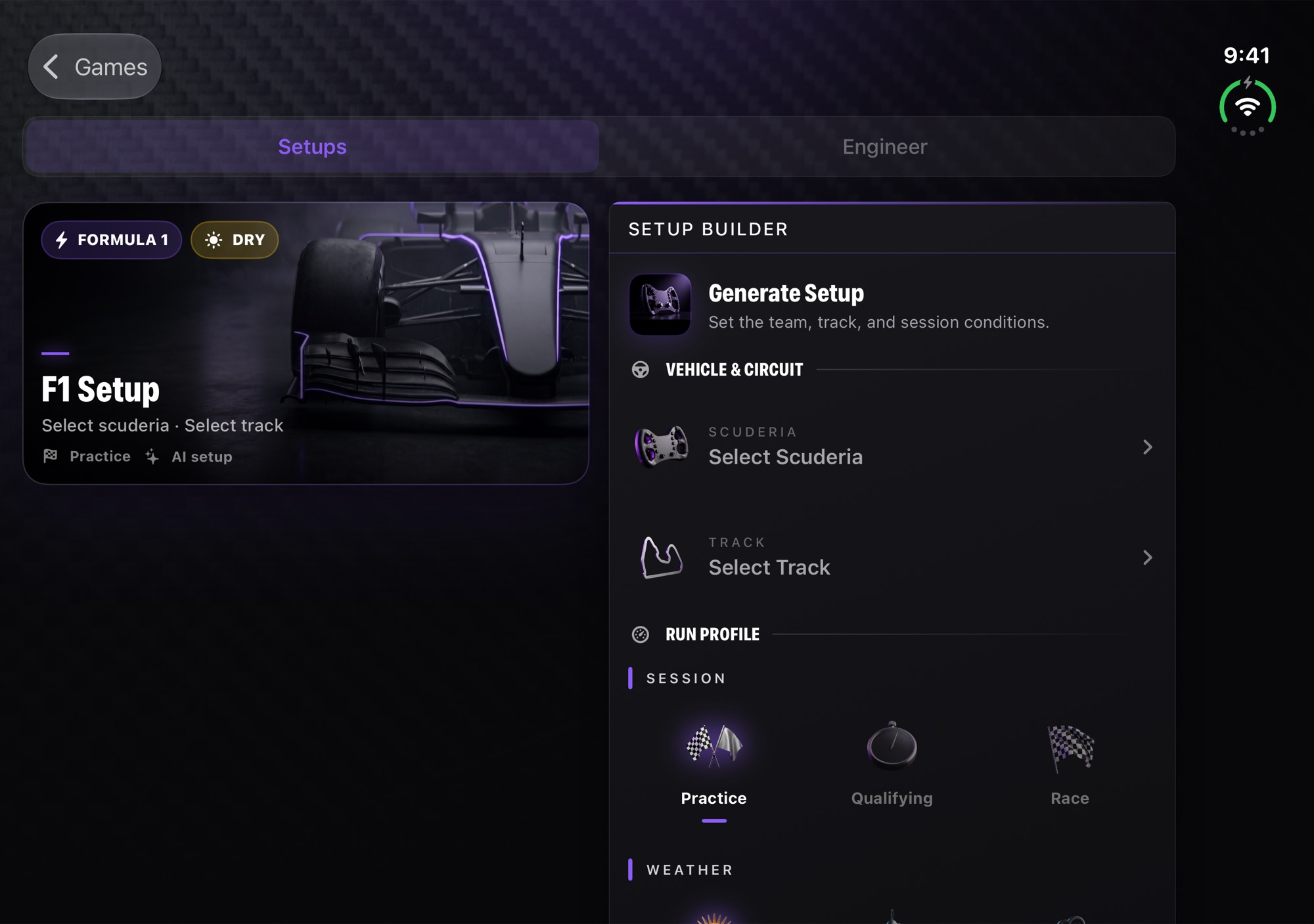
A finished setup, with the reasoning behind each change.
Try it on track before you pay.
Free
No card required
- 3 AI setups
- 10 minutes of the live engineer
- Every supported game
APEX Pro
Monthly or yearly, with a free trial. Prices in your currency on the App Store.
- Unlimited AI setups
- Unlimited live engineer
- Lap-by-lap debriefs and follow-up questions
APEX for PC
A separate plan, sold here on the web.
- Live engineer for ACC and Assetto Corsa EVO
- APEX Bridge for Windows
- Everything in Pro
Before you head out.
Do I need a PC running next to my console?
No. For F1 25 the console sends telemetry straight to your iPhone or iPad over your home Wi-Fi. The phone and console just need to be on the same network.
Does it work in VR or with headphones?
Yes. The engineer is voice first, so you never need to look at the screen. Route the audio to whichever headphones or speaker you already use.
Will the setups work in online races and leagues?
They are standard in-game setups you enter yourself, so they work anywhere the game lets you change the setup. APEX never modifies the game.
Which languages does the engineer speak?
English, Spanish, Italian and German, in the app and on the radio.
Is there an Android version?
Not yet. APEX is on iPhone and iPad today. Tell us if you want to be first to know.
How do I cancel?
APEX Pro is billed by Apple. Cancel at any time in Settings → your name → Subscriptions on your iPhone or iPad.